What does distance actually do?
It is the run's progress and payout driver: cash comes from kills and from distance travelled, and checkpoints mark how deep a build can go.
Gameplay loop
The run loop: drive, survive waves, push distance, bank cash.
Updated
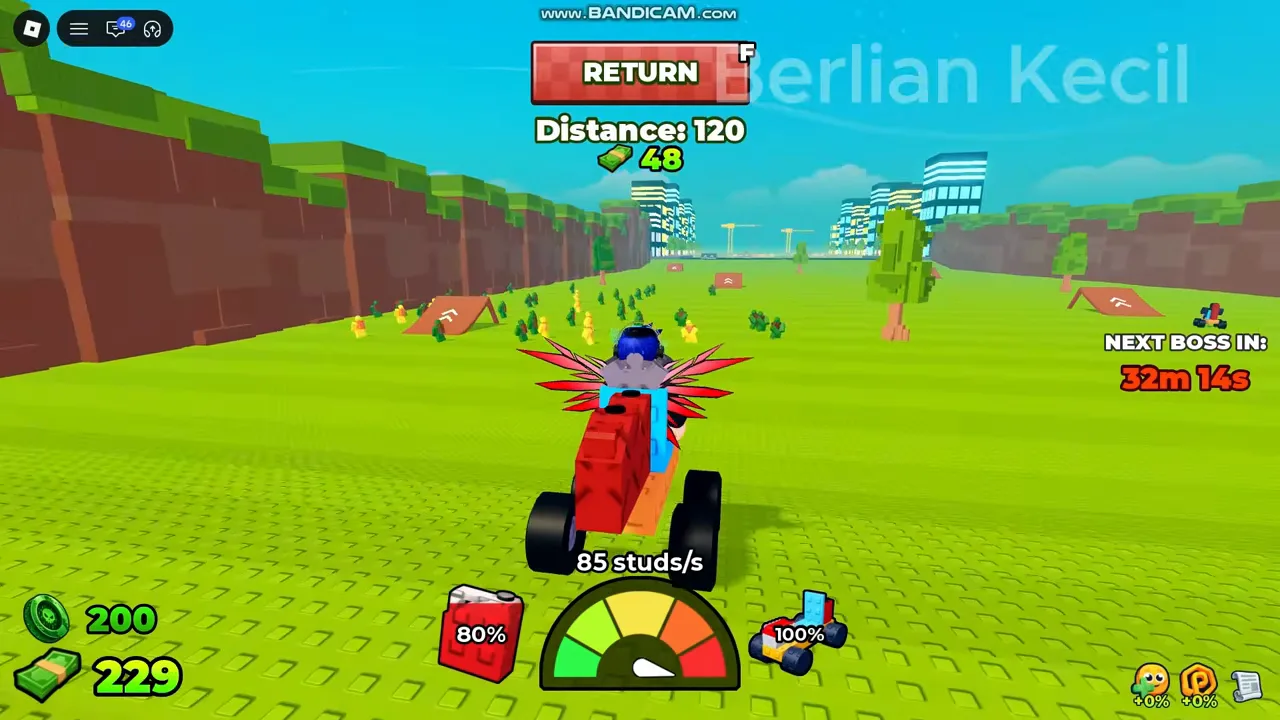
With a car built and at least one support mounted, the run starts from the green DRIVE button — keyboard F. A short lobby countdown runs before the drive begins, and the HUD switches to run mode.
During a run the screen shows a Distance counter, a checkpoint indicator, a speed readout, and the current BOSS FIGHT bar when an encounter is live. Cash ticks up from kills and from distance travelled, per the store description of the 2x Cash pass.
Distance is the run's scoreboard. Footage shows it climbing through values like 58, 352, and 993 as the car pushes through waves, with checkpoint numbers (24, 63, 105…) marking progress along the track.
Reaching deeper checkpoints is the mid-game goal: each stretch adds tougher zombie waves, and the cash per kill rises with them, which is what makes later runs worth attempting with a finished build.
Runs end when fuel does. A dry tank stops the car wherever it is — footage shows the player reacting to running out mid-drive — which turns fuel capacity into a direct extension of run length.
That is why fuel barrels and Small Tanks from the codes sit in the early shopping list: more fuel is more distance, and the last stretch of a run is usually the most profitable per metre.
Driving off the intended battlefield triggers an "Out of bounds! Return to the Battle Field!" warning with a RETURN button. Ignore it and the game pulls you back; treat it as the map's way of keeping runs on the track.
The lobby menu includes a Co-Op option, and the build system ships a plot permission panel with Player, Other Players, and Alone modes. That means a plot can be shared: friends can build on or around your base depending on the permission you set.
For co-op planning, the safe default is keeping permissions to yourself until your build is finished, then opening the plot when everyone has a working car and the group is ready to push the same stretch together.
A run ends when the car is destroyed, fuel runs dry and you return to base, or you drive back deliberately to bank what you earned and rebuild. There is no penalty list visible in footage for a dead run, so pushing one checkpoint further with a fragile build is a legitimate gamble.
The practical loop that footage confirms: build, drive, bank, upgrade, repeat — until the next checkpoint is reachable in one tank.
FAQ
It is the run's progress and payout driver: cash comes from kills and from distance travelled, and checkpoints mark how deep a build can go.
Fuel drains over the drive; a Small Tank or fuel barrel extends how far you get. When it hits zero the car stops, which ends the push at that point.
Yes — the Co-Op menu entry and the plot permission panel (Player / Other Players / Alone) indicate shared plots are supported.